Payroll
This page will provide information on how to calculate pay for the Quartermaster Corps employees.
Spreadsheet
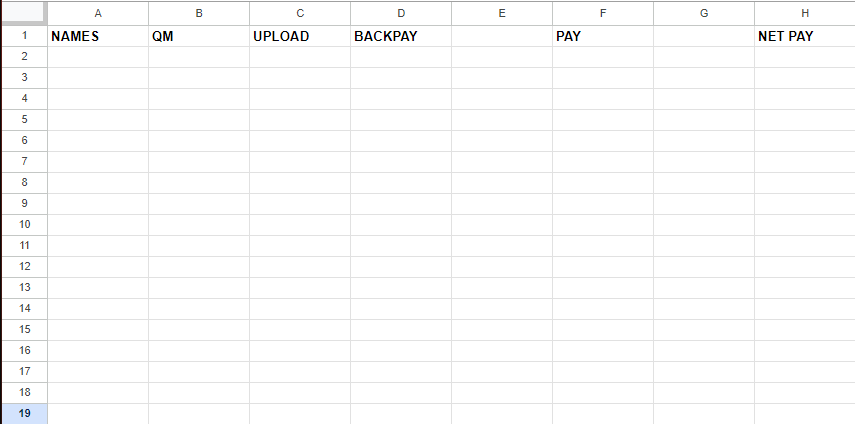
A spreadsheet is required to calculate the pay for the Quartermaster Corps employees. The spreadsheet should contain the following columns:
- Username: The Roblox username of the employee.
- QM: The number of uniforms designed by the employee.
- Uploads: The number of uniforms uploaded by the employee.
- Pay: The total pay for the employee.
- Net Pay: The total pay for the month
Tabulating Quartermaster Pay
To calculate the pay for Quartermaster employees, use the following formula:
in: completed-uniforms has: image during: month
For example, if I were to calculate the pay for the Quartermaster employees for the month of August, I would use the following formula:
in: completed-uniforms has: image during: August
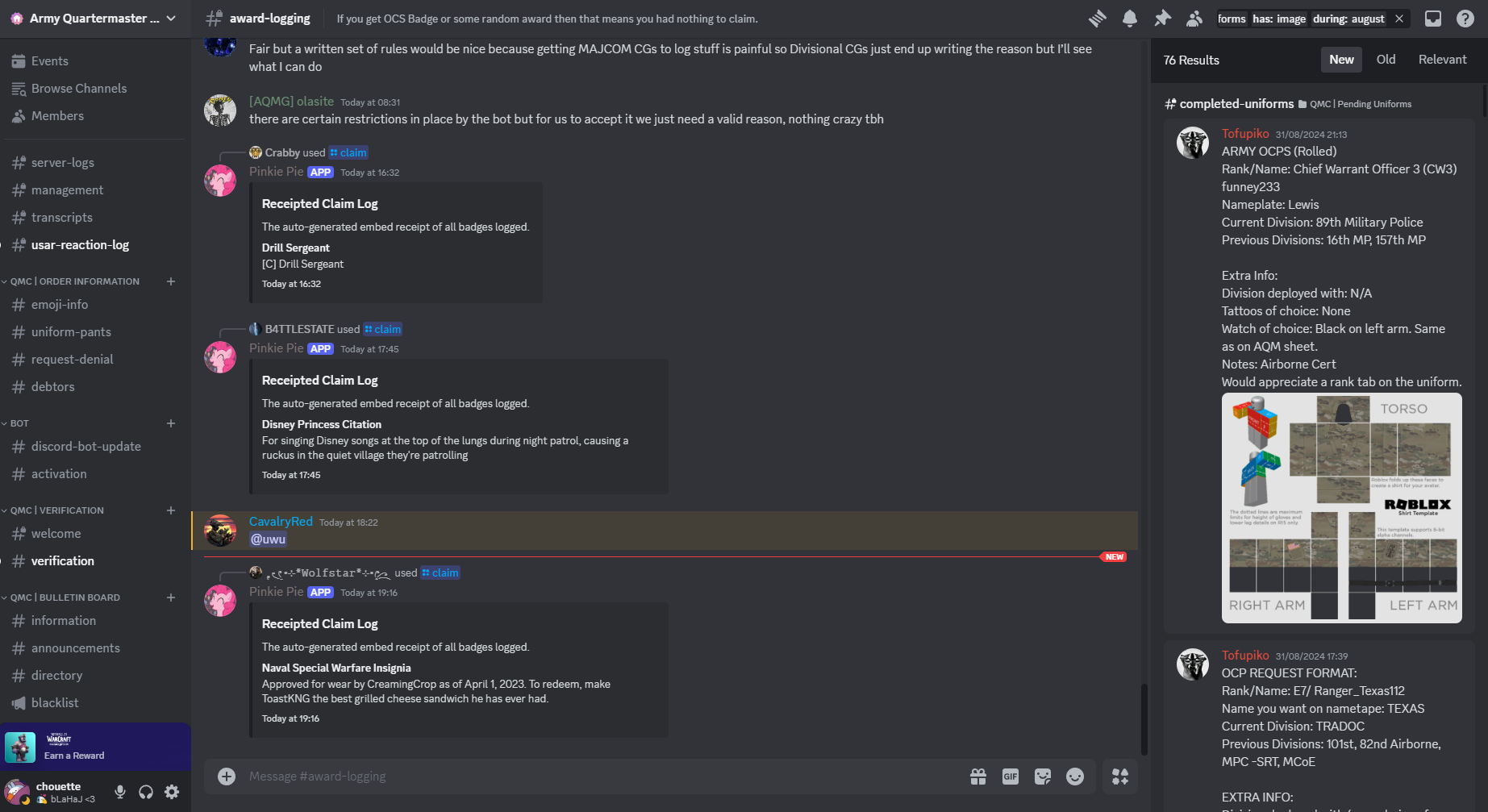
From the filtered results, calculate the total uniforms designed by the Quartermaster employees. Increment the count for each uniform designed by the Quartermaster employees. Exclude any uniforms designed for personal use.
Tabulating Uploader Pay
To calculate the pay for Uploader employees, go to the Quartermaster Corps ROBLOX group and navigate to Configure Group.
Head to Audit Log and filter the results by Create Group Asset. This will display the number of uniforms uploaded by the Uploader employees.
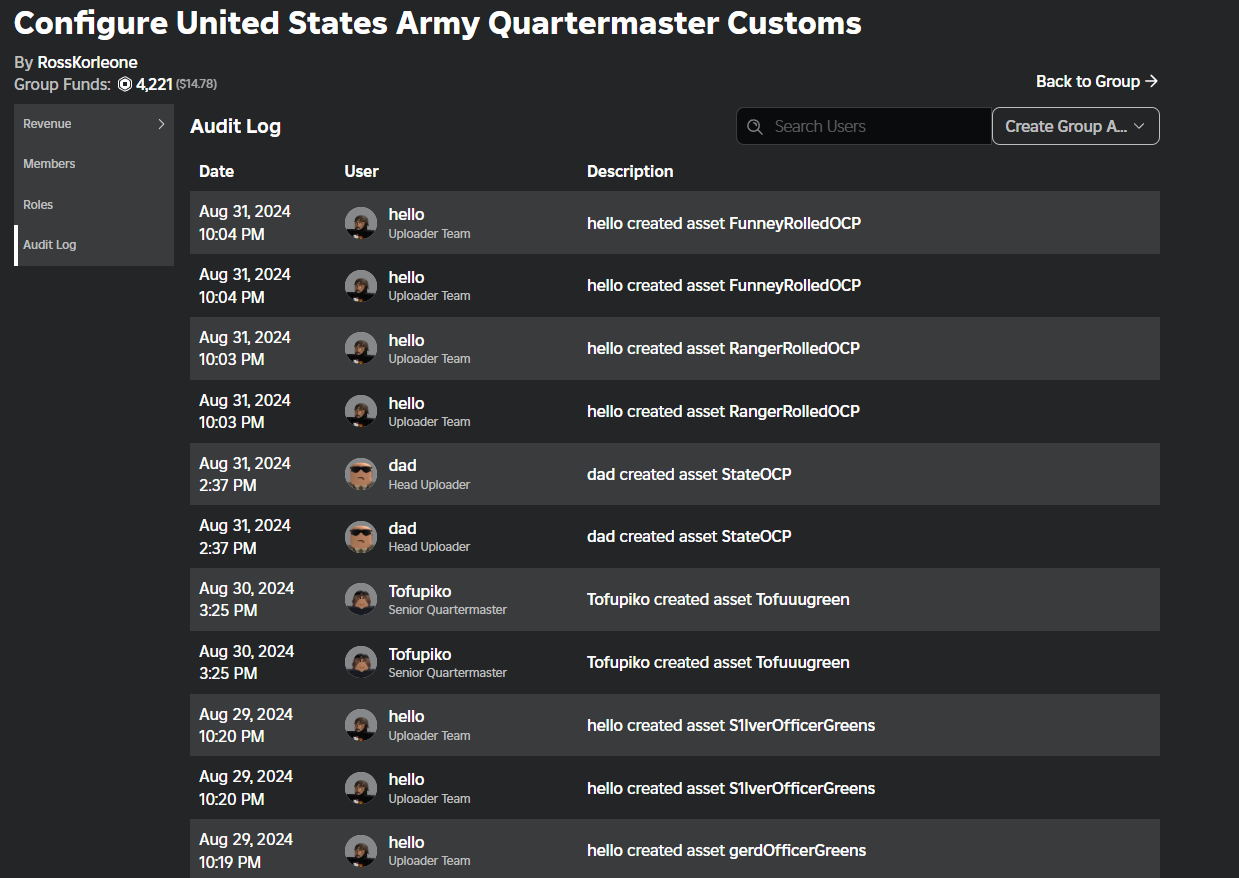
From the filtered results, calculate the total uniforms uploaded for the specified month. Increment the count for each uniform uploaded by the Uploader employees. Exclude any uniforms uploaded for personal use. For example, to calculate pay for August, count the uniforms uploaded during August 1 to 31st.
Due to the way ROBLOX logs group asset creation, the number of uniforms uploaded is doubled. For each uniform uploaded, the audit log will display two entries, one for the uniform, and one for the asset. In the image, above, count FunneyRolledOCP as one upload, and not 2.
Calculating Final Pay
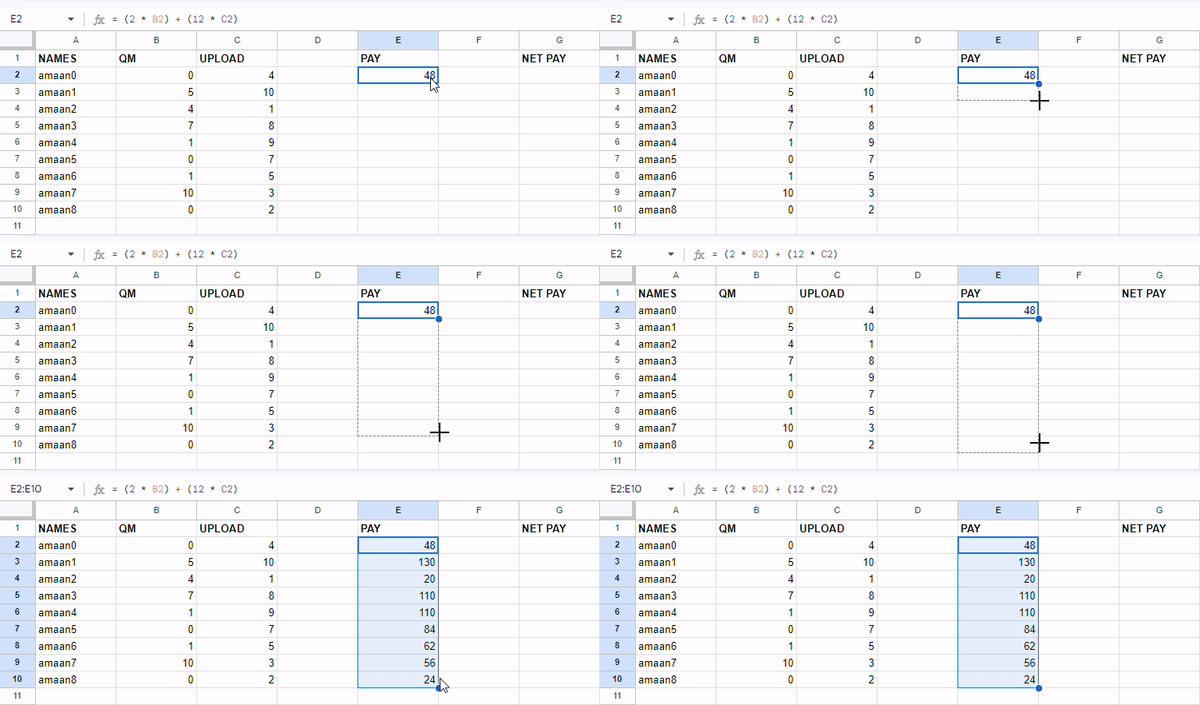
Once you have tabulated the total number of uniforms designed and uploaded, calculate the final pay for the Quartermaster Corps employees. Use the following formula:
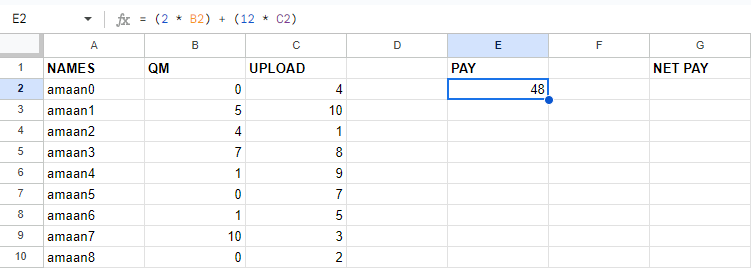
= (3 * B2) + (13 * C2)
The following examples were created when pay was 2 robux per uniform designed and 12 robux per uniform uploaded. The pay rates may change, so please check with the payroll officer for the current pay rates.
in the first pay box in E2 only. Drag the formula down to calculate the pay for all employees.
 Cell
Cell E2 contains the value 48 since the Quartermaster produced 0 uniforms and the Uploader produced 4 uniforms. The total pay for the month is 48 robux.
Net Pay
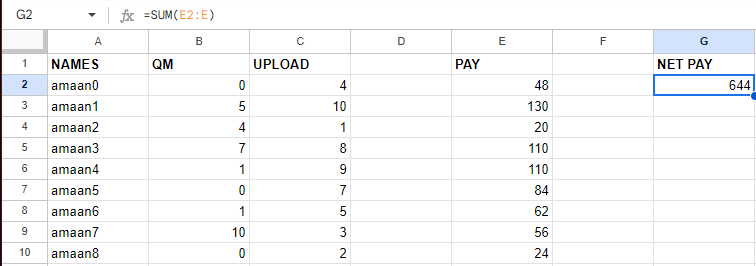
Calculating net pay is simple. Sum the total pay for all employees to get the net pay for the month through the formula:
= SUM(E2:E)
Submission
Submit the spreadsheet to the budget officer for processing. The budget officer will verify the calculations and process the payroll for the month.
DaayzSwisher